
DSP Composer
Design embedded audio processing visually
Design complete signal-processing pipelines visually, assemble them from ready-to-use or custom processing blocks, and move from graphical design to deployable firmware without writing low-level DSP code from scratch.
Visual Design
Drag & drop environment
Flexible & Extensible
Ready-to-use or custom blocks

Deploy in Hours
From design to firmware
A focused environment for embedded DSP development
- Integrated as a dedicated project type within the IDE originally developed for Cirrus Logic DSPs.
- Built on Eclipse, fully open source and implemented in Java for broad portability.
- Completely MATLAB-free - no licensing overhead or external tool dependencies.
- Streamlined for single-core development workflows.
- Released as a single Eclipse SDK with pre-installed DSP Composer. Also available as a plug-in for custom Eclipse SDKs.
Design signal processing visually
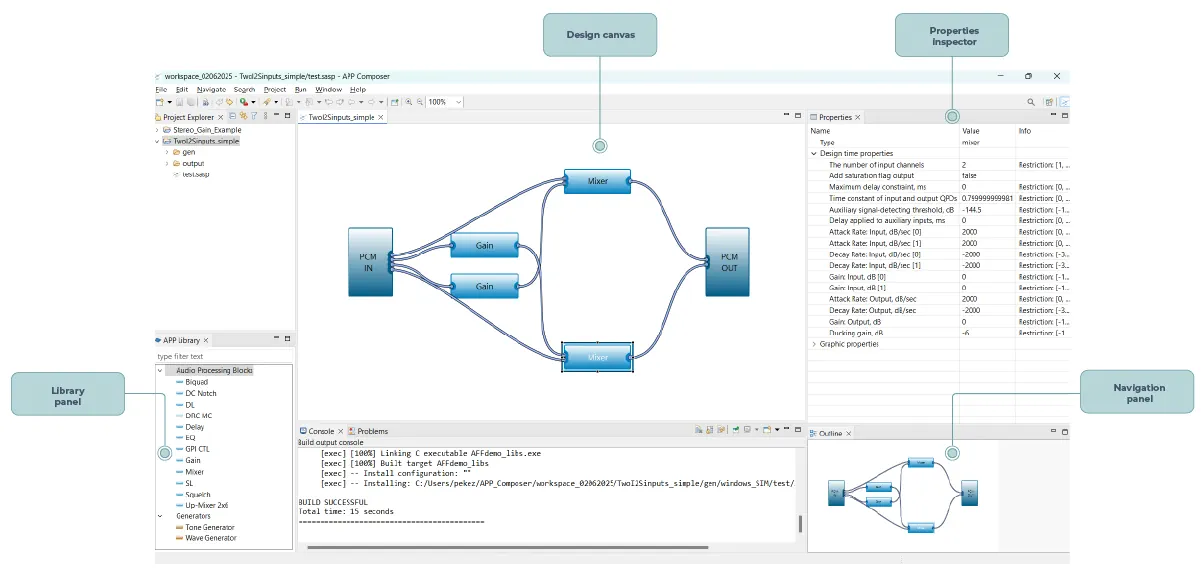
DSP Composer provides an intuitive drag-and-drop environment for designing signal flows graphically through a Visual Programming Language (VPL).
Its fundamental building blocks, called primitives, are comparable to SIMULINK® blocks. Multiple primitives can be composed to form more complex modules, while modules may also be sourced from 3rd-party IPs and do not have to be built from primitives.

Properties
inspector
Navigation
panel
Library
panel

Design
canvas
Build with ready-to-use processing blocks
Audio postprocessing primitives library
DSP Composer provides a rich library of ready-to-use processing blocks for:
 Filtering
 Transforms
 Mixing
 EQ
EQ Dynamics
 Audio effects
The library enables engineers to assemble complete signal-processing pipelines without writing low-level DSP code from scratch.
Extend the toolbox with custom processing
- Custom primitives can extend the library with proprietary algorithms, project-specific features, and hardware-specific processing.
- Custom blocks can be generated automatically by additional tooling that scaffolds boilerplate, descriptors, and integration glue.
- This reduces coding effort and errors while ensuring project consistency.
- Code-generation and integration tools are bundled directly with the DSP Composer SDK, supporting the entire workflow out of the box, without third-party dependencies or additional licensing.
- Each primitive combines optimized C/C++ code with an XML descriptor defining parameters, I/O, and metadata for seamless integration and visualization.
From graphical design to deployable firmware
A five-step design flow
- 01 Start with your design
- 02 Drag & drop from the library
- 03 Configure properties and presentation
- 04 Connect the inputs
- 05 Connect the outputs
Deployable firmware in hoursBuild & deploy with one click
One-Click Build & Deploy

DSP Composer
(BUILD)

Module interface
object

Overlay
(LINK)
Bootable
Image
Application
(LOAD)
Firmware
Download
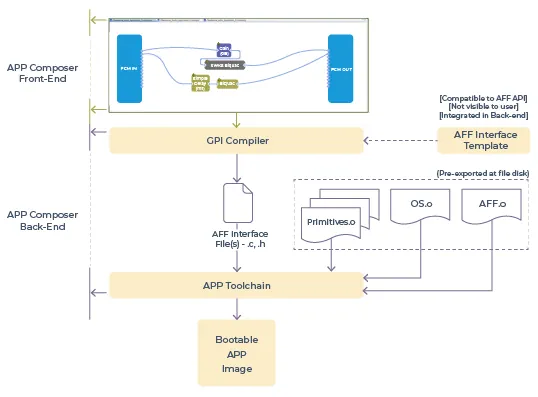
After the design is complete, the build process parses the design.
The backend:
- Collects pre-exported object-files from disk at compilation time.
- Generates interface files based on the GPI Compiler.
- Builds the object-files and generated interface files together to generate a bootable image.
Flexible build options
- The interface language can be re-integrated or re-designed in the backend compared to the target build chain.
- External build tools can be used instead of the default.
- Platform build can be omitted, with PC simulation used instead.
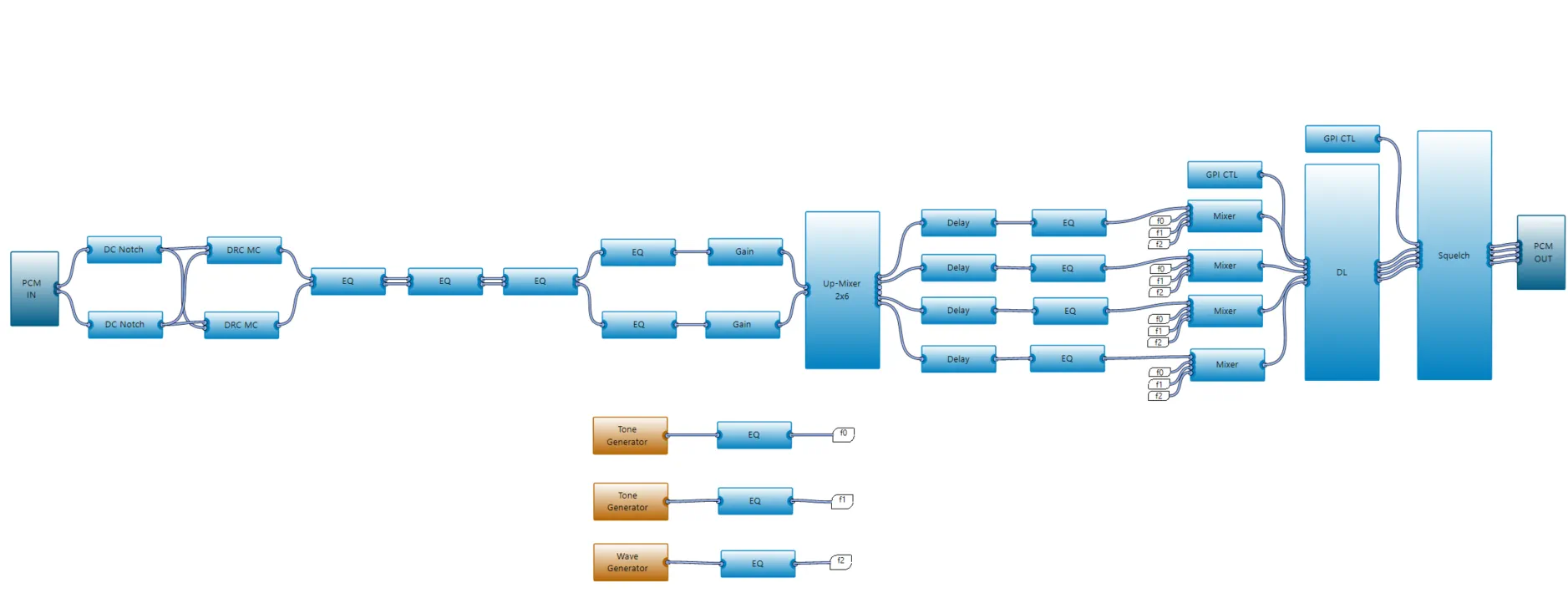
See complex audio processing come together
Multi-band audio processing pipeline built in minutes.
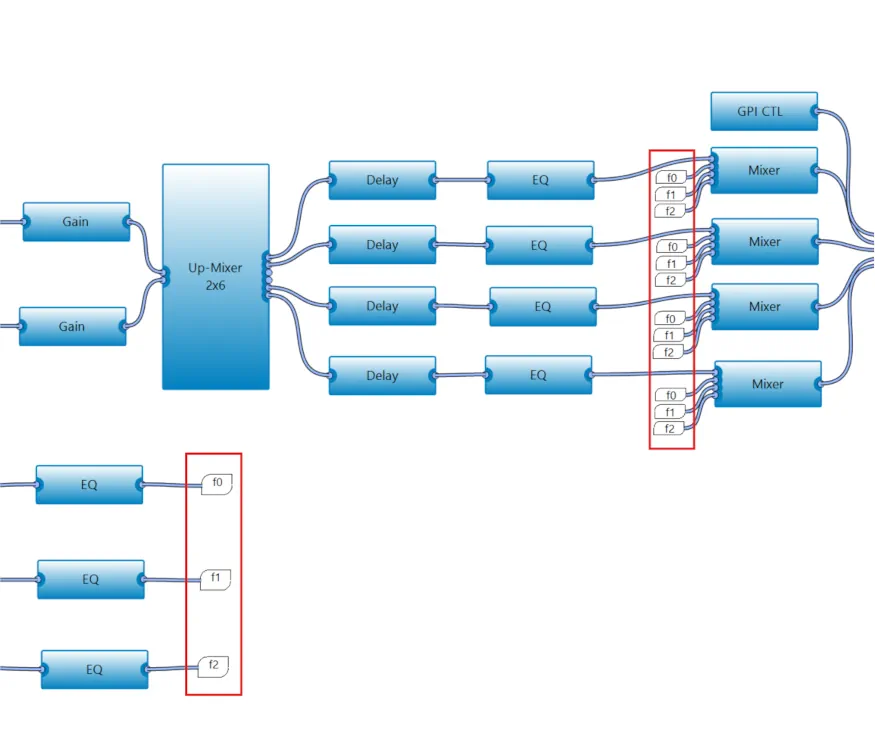
Keep large designs readable
Flyoff Connections reduce diagram complexity and keep large designs readable across sheets and subsystems.
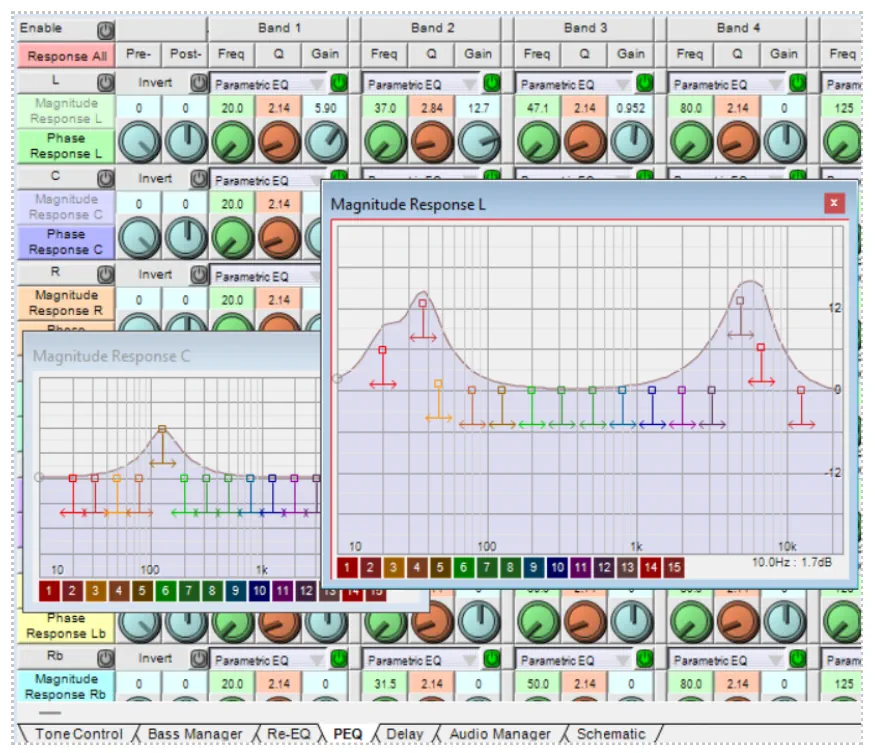
Cirrus Logic IDE for DSP development and product tuning
Eclipse-based SDK with IDE, device control, real-time analysis, product integration, and on-the-fly tuning.
Ready to build your next audio processing solution?
Let's create powerful audio experiences together.